What an SFP module is
An SFP — Small Form-factor Pluggable — is a removable transceiver module that turns a switch port into whatever medium a link needs. The same physical cage on the switch can accept a short multi-mode optic, a long single-mode optic, or a copper direct-attach cable. You choose the module to match the link, not the switch.
That modularity is the whole point. The switch is bought once; the optics are chosen per link and replaced independently when a route changes. It is why fibre uplinks are practical to plan and to change: the intelligence sits in a small module you can swap, rather than being fixed into the switch.
Speed: SFP vs SFP+
SFP and SFP+ modules are the same size and fit the same slot, but they run at different speeds. SFP is the 1 Gbps form factor; SFP+ is specified for 10 Gbps. A 10G-capable SFP+ port will normally accept a 1G SFP module for a slower link, but the reverse is not true — a 1G SFP port cannot drive an SFP+ module at 10G.
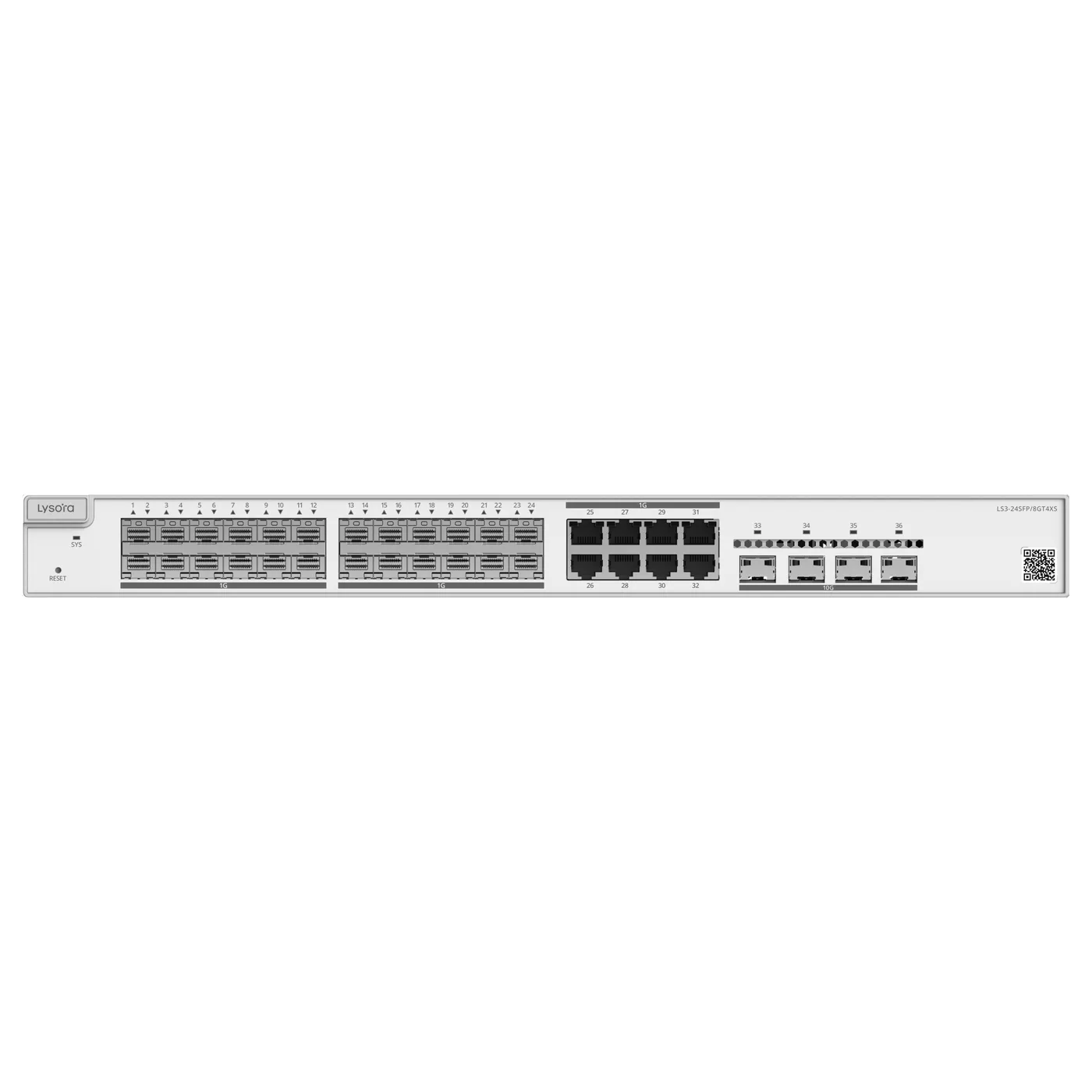
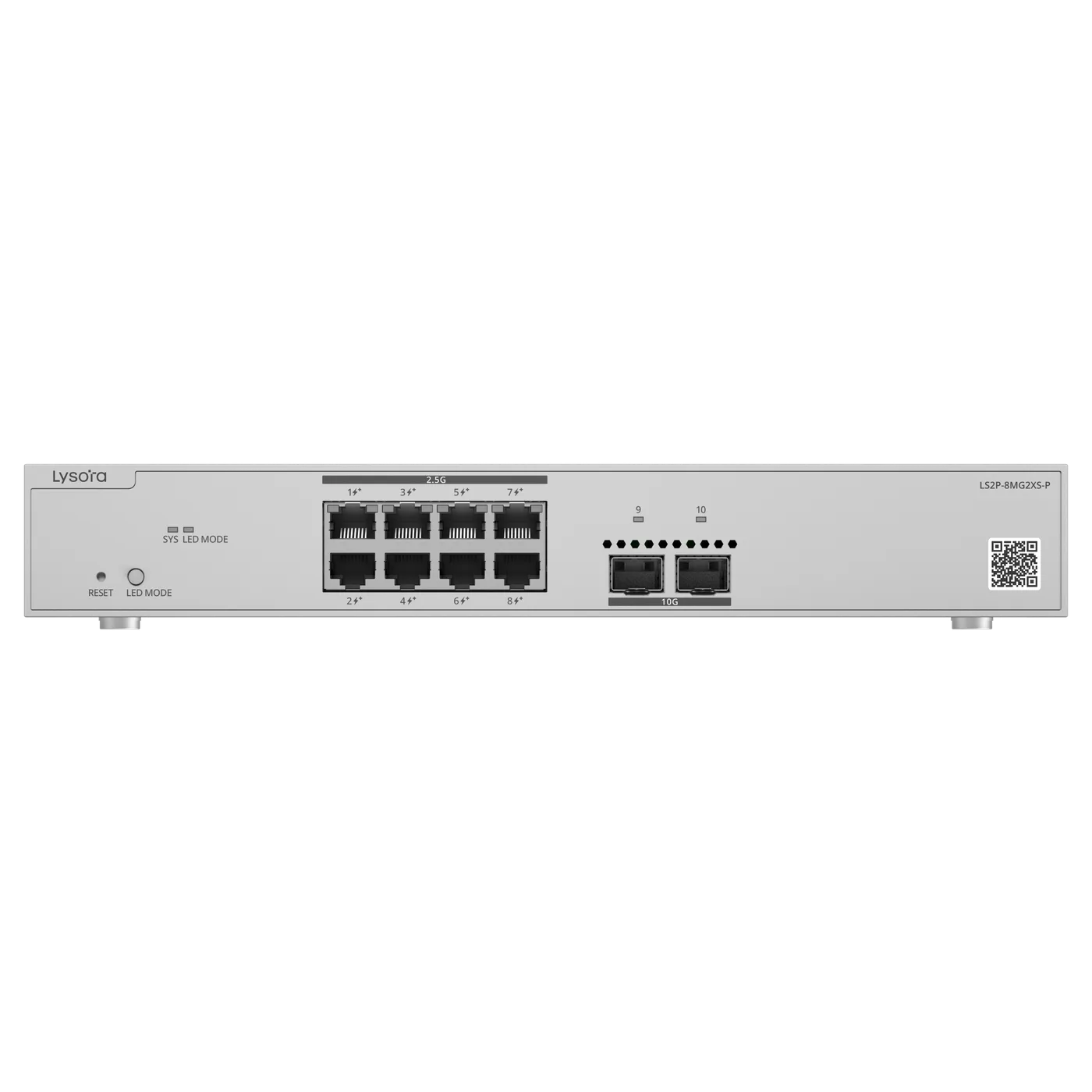
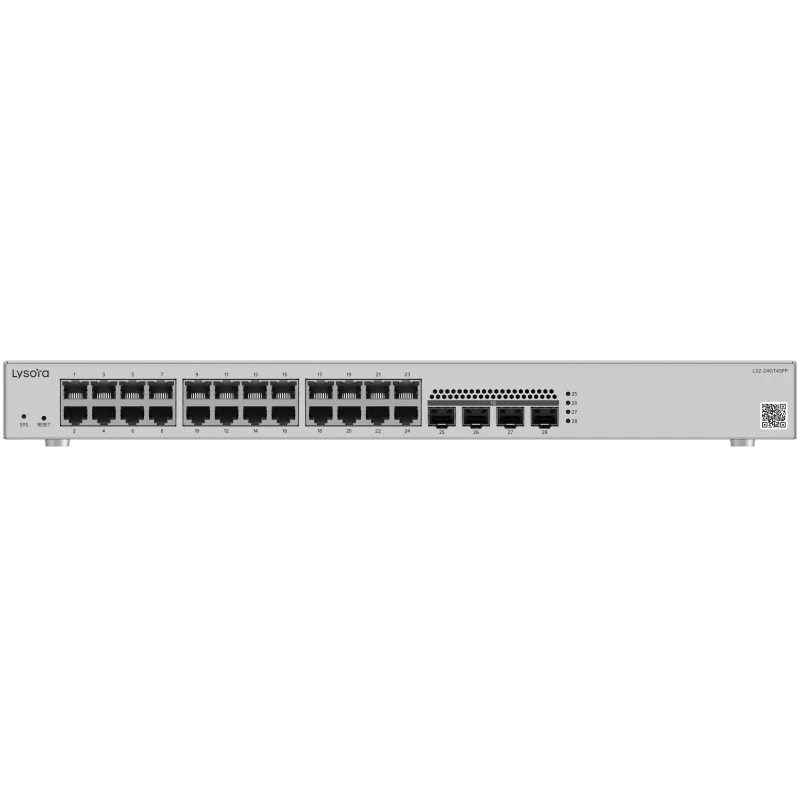
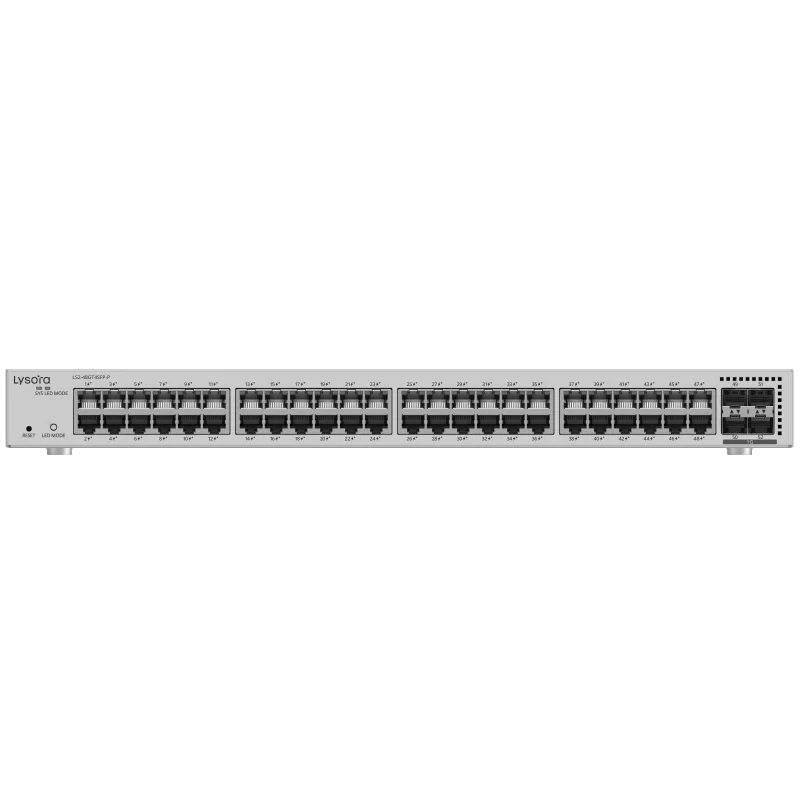
In the Lysora range, the LS2 managed switches provide 1GE SFP slots for uplinks, while the LS2P-8MG2XS-P offers 10GE SFP+, and the LS3-24SFP/8GT4XS combines SFP with SFP+ for fibre aggregation. Choosing the switch determines which module speeds are available, so the two decisions go together.
Fibre type and reach
The optic and the fibre must match. This is the single most common cause of a link that will not come up — a module for one fibre type plugged into the other simply fails to establish.
Multi-mode vs single-mode
Multi-mode fibre has a larger core and suits shorter distances, typically within a building or campus. Single-mode fibre has a smaller core and carries far longer distances, used between buildings and out to the service provider. The module's stated reach assumes the correct fibre type; mixing them will not work reliably.
- Multi-mode — short in-building and campus runs.
- Single-mode — long and inter-building runs, and links to the ISP.
- Duplex LC connectors are the common arrangement — one strand transmit, one receive.
BiDi and DAC alternatives
Two common variations solve specific problems.
BiDi modules
A BiDi (bidirectional) module sends and receives on a single fibre strand using different wavelengths, halving the fibre needed on a constrained route. BiDi modules are always deployed as a matched pair — one of each wavelength — at opposite ends of the link.
Direct Attach Copper (DAC)
A DAC is a fixed-length copper cable with transceiver ends moulded on. For rack-to-rack links of a few metres it is cheaper and lower-power than optics, but it cannot be re-terminated and does not span distance. It is the right, economical choice for short connections inside a rack or between adjacent racks.
Compatibility and coding
Many switch vendors expect transceivers to carry particular identification data, and some reject modules that do not match. This is a commercial constraint rather than an optical one, but it causes real deployment delays when a module is technically correct yet refused by the switch.
The practical protection is to confirm the intended switch model when ordering optics, so the modules supplied are known to be accepted by that platform. It is a small step that avoids a link that will not come up for reasons that have nothing to do with the fibre.
SFP modules and media converters
A close relative of the SFP module is the media converter, and the two are often confused. A media converter is a small standalone device that converts between media — typically copper and fibre — for a single link, without the switching intelligence of a full switch. It is the right tool when you need to extend one copper connection over fibre and back, for example to reach a distant camera on a pole or to cross between two buildings.
SFP-based switches and media converters solve overlapping problems from different directions. A switch with SFP ports terminates fibre as part of an aggregation point serving many devices; a media converter handles a single point-to-point span. On a real site both appear: fibre aggregation on the core switch's SFP and SFP+ ports, and media converters where a lone copper device sits beyond the 100 m limit. Choosing between them comes down to whether the link is one connection or a distribution point.
- SFP/SFP+ on a switch — fibre termination at an aggregation point serving many ports.
- Media converter — one point-to-point copper-to-fibre span, no switching.
- Both remove the 100 m copper distance limit; the choice is scale, not capability.
How SFP fits the bigger picture
SFP modules are what make fibre uplinks and fibre aggregation possible, and fibre is what removes the 100 m copper distance limit between switches, floors, and buildings. A campus core aggregating several blocks does it over SFP and SFP+; a surveillance network reaching a distant pole does it over fibre terminated on an SFP or a media converter.
So while an SFP module looks like a small accessory, it is the component that lets a network cross distance cleanly. Getting the speed, fibre type, and compatibility right is what turns a fibre plan on paper into a link that works.
A simple ordering checklist
Because the ways an SFP link can fail are few and predictable, a short checklist before ordering prevents almost all of them. Every item on it is something that is cheap to confirm and expensive to discover after the modules arrive.
- Speed: does the switch port run the module's speed — 1G SFP or 10G SFP+?
- Fibre type: is the module matched to the installed fibre — multi-mode or single-mode?
- Reach: does the module's rated distance cover the run, on the correct fibre type?
- Connectors: do the connectors match — typically duplex LC, or single-strand for BiDi?
- Pairing: for BiDi, are the two ends a matched pair of complementary wavelengths?
- Platform: is the module known to be accepted by the specific switch model?
Why the checklist matters
A fibre link that will not come up almost always fails on one of these six points, and the symptom — no link light — gives no clue which. Confirming them at ordering stage, when the switch model and the fibre plant are both known, turns a potential day of on-site troubleshooting into a five-minute check. It is the single most useful habit when specifying optics.
Conclusion
An SFP module is a pluggable transceiver that lets a switch port speak fibre or copper, chosen per link. SFP runs at 1 Gbps and SFP+ at 10 Gbps in the same slot; multi-mode suits short runs and single-mode long ones; BiDi halves fibre on constrained routes and DAC is cheapest for short rack links.
The two things that trip up real deployments are mismatched fibre types and vendor coding, both avoidable by confirming the switch and fibre when ordering. Tell us your switch models and link distances and we will specify the right optics.