What a VLAN is
A VLAN — Virtual Local Area Network — lets a single physical switch behave as several separate networks. Devices on one VLAN can talk to each other but not directly to devices on another, even though they share the same switch and cabling. In effect, one box is carved into several isolated networks that happen to share hardware.
This matters because a network without VLANs is one flat space: every device shares a single broadcast domain, sees the same traffic, and can reach every other device. That is fine for a handful of trusted computers and a real problem once cameras, phones, guests, and office machines share the same cabling. VLANs are the tool that keeps those groups apart, and they are the reason managed switches exist.
The problem VLANs solve
Picture an office where the CCTV cameras, the VoIP phones, the guest Wi-Fi, and the staff computers all plug into the same switches. Without segmentation they share one network. A broadcast storm from a faulty camera slows everyone down. A compromised guest laptop can scan the whole network. Troubleshooting is harder because every kind of traffic is mixed together.
VLANs fix all three at once. Put cameras on VLAN 10, voice on VLAN 20, guests on VLAN 30, and staff on VLAN 40, and each group is isolated: broadcasts stay within their VLAN, a device on the guest VLAN cannot reach the camera VLAN, and each traffic type can be monitored and prioritised on its own. Nothing physical changes — the segmentation is configured in the switch.
How VLANs work: 802.1Q tagging
VLANs are standardised by IEEE 802.1Q. The mechanism is a small tag added to the Ethernet frame that records which VLAN the frame belongs to. When a frame travels between switches, the tag tells each switch how to keep it separated.
The VLAN tag
The 802.1Q tag is four bytes inserted into the frame. It contains a 12-bit VLAN identifier (VID), which gives 4094 usable VLANs (the values 0 and 4095 are reserved), and a 3-bit priority field (802.1p) used for quality of service. That 4094 figure is why switch datasheets quote VLAN support 'up to 4094' — it is the ceiling the standard allows.
Access ports and trunk ports
Ports come in two roles. An access port belongs to a single VLAN and connects an end device — a camera or a computer — which knows nothing about VLANs; the switch adds and removes the tag transparently. A trunk port carries several VLANs at once between switches, keeping the tags so the far end can separate the traffic again.
A related detail is the native VLAN: on a trunk, one VLAN can be left untagged for compatibility. Getting access, trunk, and native VLAN assignments right is the core of a clean VLAN design.
VLANs and routing between them
By design, a VLAN isolates traffic — so how do two VLANs communicate when they need to? They cannot do it at Layer 2. Traffic must be routed between them, either by a router or firewall (the common single-site pattern) or by a Layer 3 switch that routes in its own hardware.
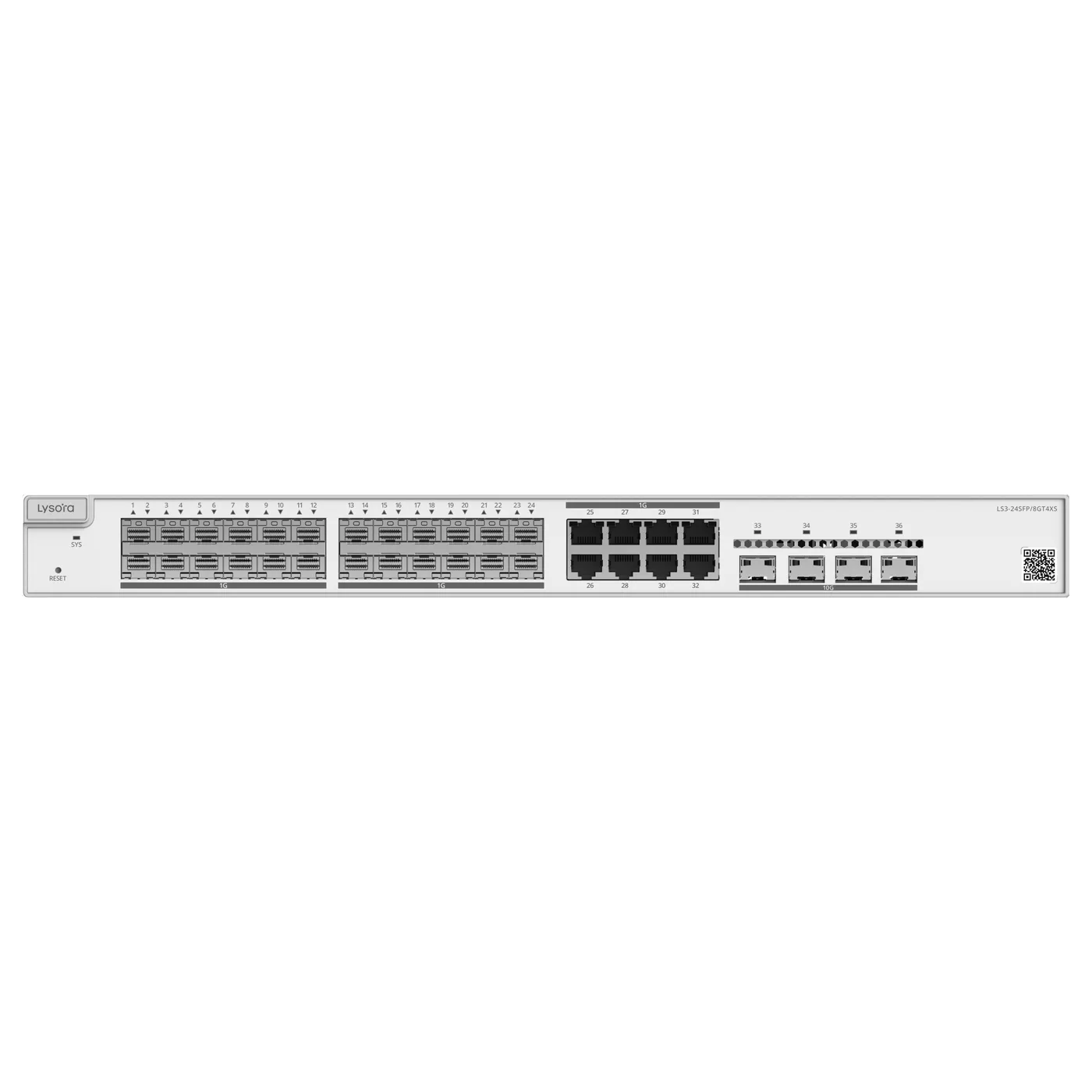
This is exactly where the Layer 2 versus Layer 3 decision comes from. A Layer 2 managed switch creates and enforces VLANs but sends inter-VLAN traffic to a router. A Layer 3 switch, such as the LS3-24SFP/8GT4XS, routes between VLANs itself, which suits a campus core with heavy inter-VLAN traffic.
The benefits, concretely
VLANs deliver three concrete benefits that apply to almost every business network.
- Security: an isolated guest or IoT VLAN cannot reach corporate or clinical systems on the same cabling.
- Performance: broadcasts stay within a VLAN, so a storm on one segment does not affect the others.
- Manageability: each traffic type can be monitored, prioritised, and troubleshot on its own.
- Cost: one physical network carries several logical ones, avoiding parallel cabling.
A starter VLAN plan
The best way to make VLANs concrete is a worked plan for a typical office. The goal is to separate traffic that should not mix, give each group its own numbered VLAN, and decide where routing between them happens.
- VLAN 10 — Staff: corporate laptops and desktops.
- VLAN 20 — Voice: IP phones, given priority for call quality.
- VLAN 30 — Guest: visitor Wi-Fi, isolated from every other VLAN.
- VLAN 40 — CCTV: cameras and recorders, kept off the office network.
- VLAN 50 — Management: switch and access-point administration, tightly restricted.
Turning the plan into configuration
Each end device connects to an access port assigned to its VLAN — a camera to a CCTV access port, a laptop to a staff access port. The links between switches are trunk ports carrying all the VLANs at once. A firewall or Layer 3 switch handles the routing between VLANs and enforces which groups may reach which, so guests cannot see cameras and cameras cannot reach the office. This five-VLAN pattern covers a large share of real office networks; larger sites extend it, but the principle is the same.
What you need to use VLANs
VLANs require managed switches — an unmanaged switch cannot create or enforce them. Every managed switch in the Lysora range supports VLANs up to 4094, which is the standard's ceiling and far more than any single site needs.
The practical starting point is a plan: list the traffic types, assign each a VLAN, decide which ports are access and which are trunks, and decide where inter-VLAN routing happens. That plan is worth settling at design stage, because retrofitting segmentation onto a flat, occupied network is disruptive.
Common VLAN mistakes to avoid
VLANs are simple in concept and easy to get subtly wrong in practice. A few mistakes recur often enough to be worth naming, because each one produces confusing symptoms that are hard to diagnose after the fact.
- Forgetting the native VLAN: leaving the wrong VLAN untagged on a trunk quietly mixes traffic that should be separated.
- No management VLAN: administering switches over the same VLAN as user traffic exposes the infrastructure unnecessarily.
- Trunk/access confusion: setting a device port as a trunk, or an inter-switch link as an access port, breaks connectivity in ways that look like cabling faults.
- Over-segmentation: creating far more VLANs than the site needs adds complexity without benefit; segment by traffic type, not by whim.
- No routing plan: building VLANs without deciding where inter-VLAN routing happens leaves groups unable to reach services they need.
Design before you configure
Every one of these mistakes is avoided the same way: by writing the VLAN plan down before touching a switch. List the traffic types, assign VLAN numbers, mark which ports are access and which are trunks, note the native VLAN on each trunk, and decide where routing between VLANs happens. A plan on one page prevents the errors that take an afternoon to find on a live network.
Conclusion
A VLAN turns one physical switch into several isolated networks, using an 802.1Q tag to keep traffic separated as it crosses the network. That isolation improves security, contains broadcast traffic, and makes a mixed network manageable — which is why VLANs are fundamental to any network carrying cameras, voice, guest, and office traffic together.
To use VLANs you need managed switches and a segmentation plan. If you are designing a network that mixes traffic types, we can help you plan the VLAN layout and specify the switches — send us your requirement and our technical team will work through it.