A network is a portfolio decision, not a device decision
Most networking enquiries arrive as a single line: a switch model, a port count, an access point quantity. The purchase almost never stays that simple. A 24-port PoE switch bought for cameras turns out to need a fibre uplink because the NVR sits in another block. Access points chosen on wireless specification alone stall because the switch feeding them cannot supply the power or the port speed they assume. A branch router is sized for users and then has to carry a site-to-site tunnel nobody mentioned.
The practical way to buy is to treat the requirement as one connected system: what sits at the edge, what powers it, what aggregates it, what carries the distance, and what manages the whole thing afterwards. That is the order this guide follows.
It covers the Lysora range as it is actually published on this site — the categories, the models and the specifications that can be checked on their own product pages — and the selection factors that decide which one belongs in your bill of quantities.
What is Lysora?
Lysora is a networking hardware brand covering managed, PoE, unmanaged and industrial switching, Wi-Fi access points, routers, wireless bridges, SFP transceivers, media converters and GPON OLT/ONU equipment. It is positioned below tier-one enterprise brands for comparable port counts and PoE budgets, which is why it is frequently specified on budget-sensitive projects — surveillance backbones, campus access layers and multi-site rollouts where the port count is large and the per-port cost decides the project.
Lizora Infotech is an authorised Lysora reseller and supplies the range across India from stock held in Delhi NCR. Lysora products listed on this site carry a three-year manufacturer warranty, stated on each product page.
One honest note before the categories: not every Lysora category has individual model pages published here yet. Switching, access points, routers and wireless bridges have model-level pages with full specifications. SFP modules, media converters, unmanaged switches and GPON are currently presented at category level, and specifications for those are confirmed against a live requirement rather than published per model. Where this guide quotes a figure, it comes from a published product page.
The Lysora range, category by category
Each category answers a different question in a network design. Reading them as a set is more useful than reading any one in isolation, because the categories constrain each other — the access point decides the switch, the switch decides the uplink, and the uplink decides whether you need optics at all.
- Managed switches — the access and aggregation layer, where VLANs, uplinks and Layer 3 routing live.
- PoE switches — the same access layer, but powering cameras, access points and phones over the data cable.
- Unmanaged switches — simple port expansion where no segmentation or management is required.
- Industrial switches — rated hardware for plant floors, outdoor cabinets and unconditioned spaces.
- Access points — the Wi-Fi 6 and Wi-Fi 7 wireless layer.
- Routers — WAN termination, VPN, inter-VLAN routing and cloud management for branch and multi-site networks.
- Wireless bridges — point-to-point and point-to-multipoint links where cable is impractical.
- SFP modules and media converters — the optics and conversion that carry distance beyond copper.
- GPON OLT and ONU — fibre access networks for ISPs, FTTH operators and large campuses.
Lysora managed switches
A managed switch is what you specify when the network needs segmentation, uplink capacity or visibility — not merely more ports. The decisive questions are the layer it operates at, how it connects upstream, and whether it also has to power what plugs into it.
Layer 2 covers VLANs, trunking, spanning tree, link aggregation and QoS: enough for the great majority of access-layer requirements. Layer 3 adds routing between those VLANs in hardware, which matters once traffic between segments is heavy enough that hair-pinning it through a firewall becomes the bottleneck.
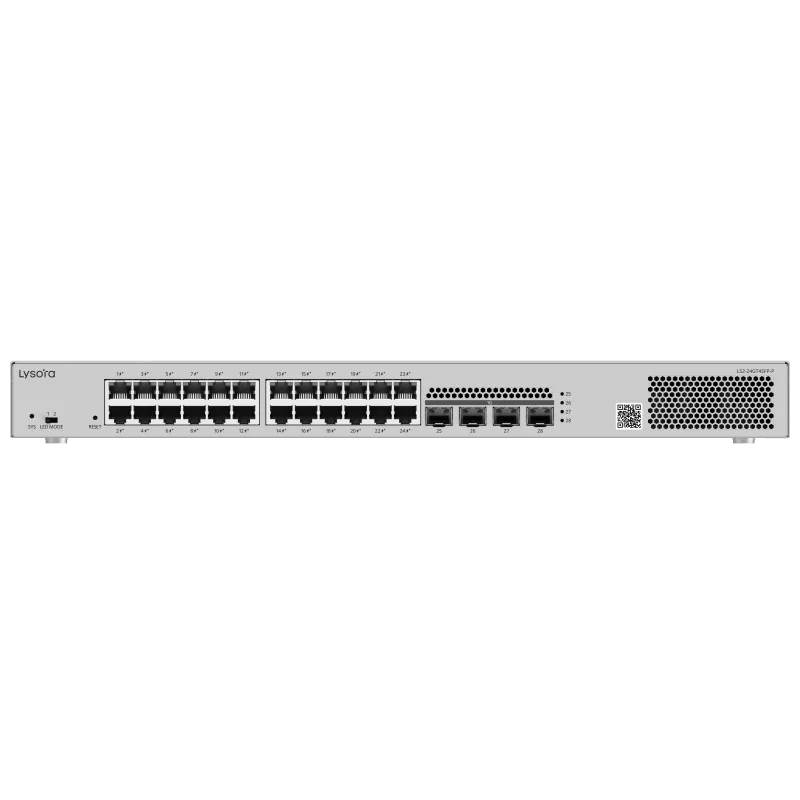
- The LS2-24GT4SFP-P is a Layer 2 managed PoE switch with 24 gigabit PoE/PoE+ ports, four 1GE SFP uplinks and a 370 W PoE budget — a conventional access-layer or surveillance-layer choice.
- The LS3-24SFP/8GT4XS is built for aggregation rather than access: 24 gigabit SFP ports with eight RJ45 combo ports, four 10GE SFP+ uplinks, 128 Gbps switching capacity and 95.23 Mpps forwarding, with OSPFv2/v3 and static routing. It is non-PoE by design, because a core or aggregation switch rarely needs to power endpoints.
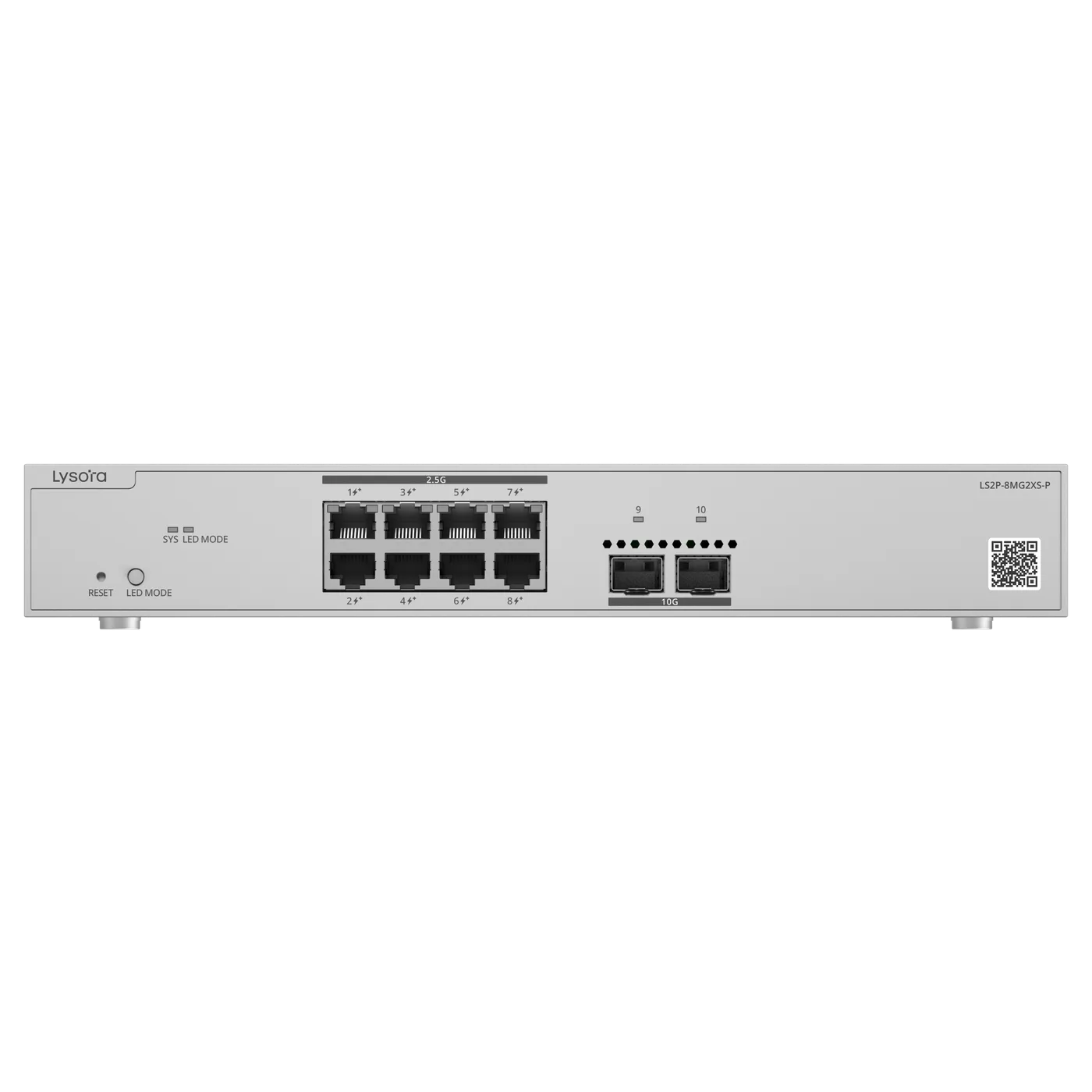
- The LS2P-8MG2XS-P is the multi-gig option: eight 2.5GBASE-T PoE/PoE+ ports with two 10GE SFP+ uplinks, 80 Gbps capacity and a 240 W PoE budget. This is the switch specified when Wi-Fi 7 access points would otherwise be capped by gigabit ports.
What to check on a managed switch
Port count is the least interesting number on the datasheet. Check these instead.
- Uplink type and count — SFP or SFP+, and whether two uplinks are enough for redundancy as well as capacity.
- Switching capacity and forwarding rate, if the switch aggregates rather than serves desks.
- Layer 2 or Layer 3, decided by whether inter-VLAN traffic is heavy enough to justify routing in the switch.
- Whether PoE is genuinely required — paying for a PoE budget an aggregation switch will never use is a common and avoidable cost.
- Management method, and whether it matches how the site will actually be supported after handover.
Common mistakes
Two recur often enough to be worth naming. The first is buying port count for today and discovering that the uplink, not the port count, is what runs out first. The second is mixing management interfaces across a site so that no two switches are configured the same way — which costs nothing at purchase and a great deal at the first fault.
Lysora PoE switches
A PoE switch carries data and power on the same cable, which is what makes cameras, access points and IP phones deployable where no power outlet exists. The specification that decides the purchase is not the port count but the PoE budget — the total wattage the switch can deliver across all ports at once.
The arithmetic is straightforward and worth doing before the order rather than after the install. Add the worst-case draw of every powered device, add roughly 20 per cent headroom for cable loss and future additions, and check that figure against the switch budget. A switch with 24 PoE ports and a 370 W budget cannot run 24 devices drawing 25 W each; it can run about twelve, or 24 lighter ones.
- PoE (802.3af) delivers up to 15.4 W at the port — typical fixed-dome cameras, basic access points, IP phones.
- PoE+ (802.3at) delivers up to 30 W — PTZ cameras, heated housings, most modern access points.
- PoE++ (802.3bt) goes higher again, for the few endpoints that need it.
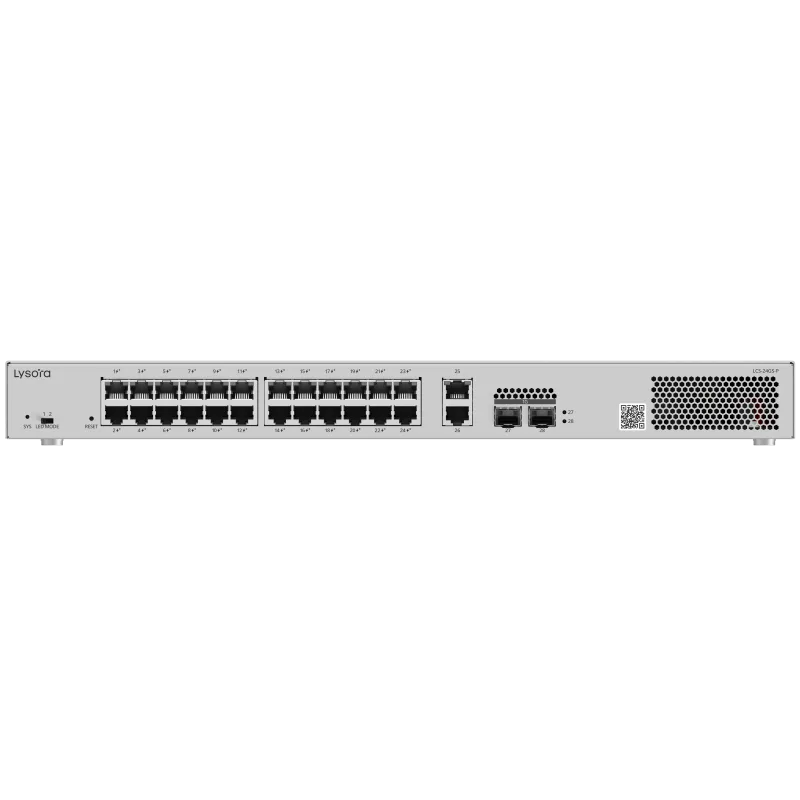
- The LCS-24GS-P is a cloud-managed PoE switch with 24 gigabit PoE/PoE+ ports, two gigabit RJ45 plus two SFP uplinks and a 370 W budget; its product page states an indicative rating of 80 cameras at 200 W in H.265.
- The LCS-8GS-P is the small-site equivalent: eight PoE/PoE+ ports, one gigabit combo and one SFP uplink, and a 120 W budget, rated indicatively at 40 cameras.
Sizing a surveillance switch honestly
Camera-count ratings on a datasheet are useful shorthand, but they assume a codec and a bitrate. Two things break them in practice: PTZ or heated cameras that draw far more than a fixed dome, and NVR traffic that has to leave the switch on an uplink. Size the PoE budget on real device wattage, and size the uplink on total camera bitrate rather than on port count.
Lysora Wi-Fi access points: Wi-Fi 6 and Wi-Fi 7
Lysora publishes both generations, and the honest answer to which one to buy is that it depends far more on the client devices and the cabling than on the headline rate.
Wi-Fi 6 is an efficiency standard. Its gains show up in dense rooms with many simultaneous clients, and it remains the sensible specification where the device estate is largely Wi-Fi 6 itself and the cabling plant is gigabit. Wi-Fi 7 widens channels, raises modulation density and adds Multi-Link Operation, which lets a capable client use more than one band at the same time. It is the right choice for new builds and genuinely high-density areas — provided the wired side is upgraded with it.
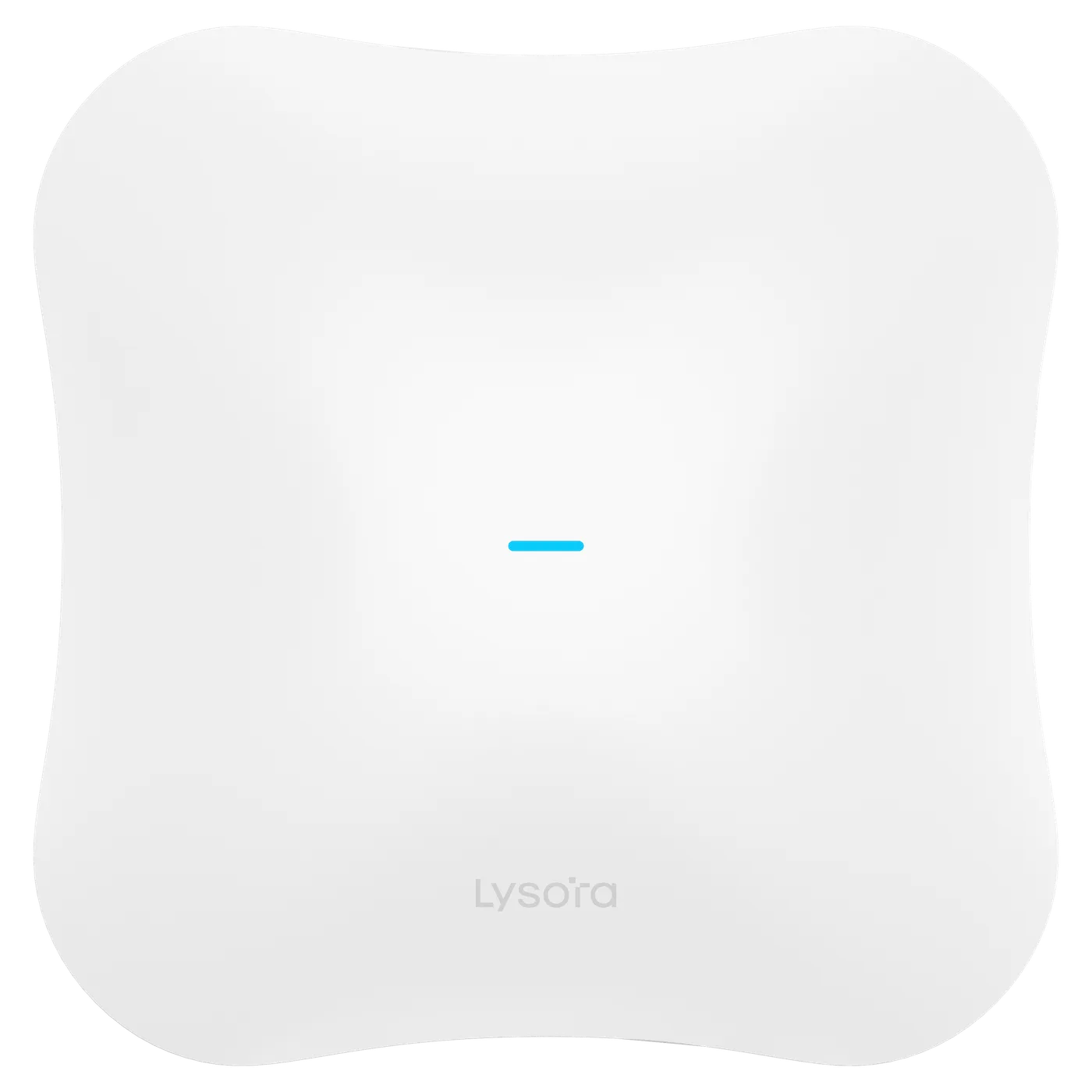
- The L7Pro is a Wi-Fi 7 BE14000 tri-band access point with radio rates of 688, 4323 and 8646 Mbps across eight streams with MLO, a stated maximum of 600 clients and 200 recommended, one 2.5GbE port plus a 10GE SFP+ port, powered by PoE+ or 54 V DC at 30 W or less.
- The L7 is the dual-band Wi-Fi 7 unit: BE5040, 688 and 4323 Mbps across five streams with MLO, 511 clients total, one 2.5G and one 1G port, PoE+ powered.
- The L6 is Wi-Fi 6 AX3000 dual-band, 573 and 2401 Mbps, 2x2 MIMO per band, rated to 512 clients on 5 GHz, with a single gigabit port.
- The L6Lite is the volume Wi-Fi 6 unit: AX1800, 573 and 1201 Mbps across four streams, 100+ clients, single gigabit port — intended for dense per-room deployment rather than large open areas.
The wired consequence people miss
The L7Pro terminates on 2.5GbE and SFP+; the L6 terminates on a single gigabit port. If Wi-Fi 7 access points are specified onto gigabit access switches they will connect and work, but the port becomes the ceiling and the reason for the upgrade is lost. This is precisely the situation the LS2P-8MG2XS-P and its 2.5G ports with 10GE SFP+ uplinks exist to solve. Decide the access point and the switch in the same conversation, not in two separate purchase orders.
Coverage is a survey question, not a catalogue question
Client density, construction material, ceiling height and the shape of the space determine access point count far more reliably than floor area does. A published client rating is a capacity figure under favourable conditions, not a coverage promise. Share a floor plan and an honest headcount and the count can be worked out properly.
Lysora routers and cloud management
The router is where the network meets everything outside it: internet circuits, site-to-site tunnels, inter-VLAN routing and whatever policy the business needs applied at the boundary. For multi-site organisations it is also where central management earns its keep, because configuring twenty branches individually is how configurations drift apart.
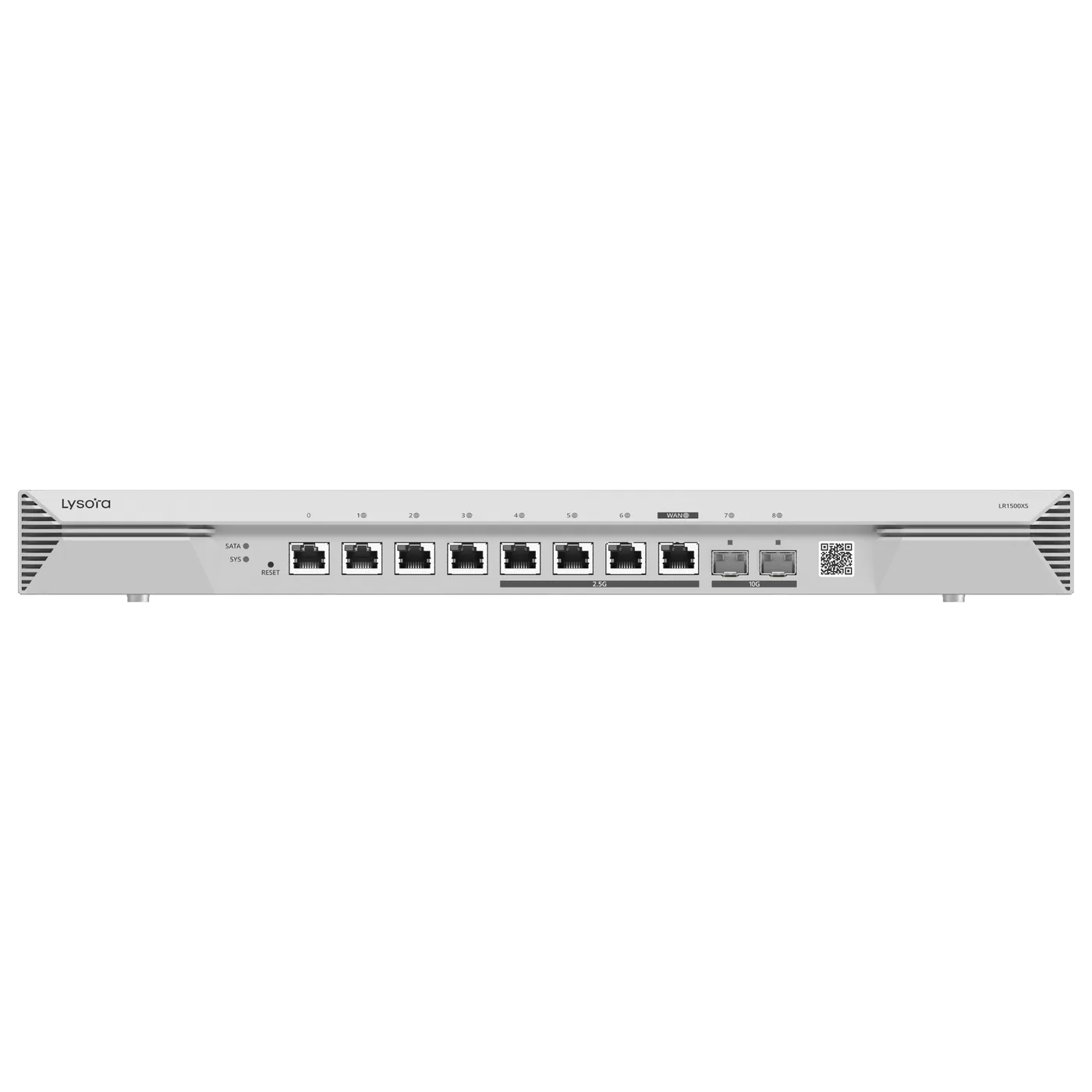
- The LR1500XS is the high-performance option: eight RJ45 ports of which four are 2.5G, two 10GE SFP+ ports, 4 Gbps throughput, 300,000 concurrent sessions, 1500 recommended clients, and BGP, OSPF and RIP routing with SD-WAN support.
- The LR100G is the small-site router: five gigabit ports configurable up to two WAN and three LAN, 600 Mbps throughput rising to 1000 Mbps in turbo mode, 100 recommended users, and IPsec, WireGuard and OpenVPN among six supported VPN types, with cloud or local web management.
Sizing a router properly
Throughput is the number everyone quotes, and the concurrent session count is the number that actually fails first on a busy site. A branch with heavy NAT, many small connections and a VPN tunnel exhausts sessions long before it exhausts megabits. Check both figures, and check them against the WAN circuit you will have in two years rather than the one installed today.
Lysora wireless bridges
A wireless bridge replaces a cable run that is impractical, unaffordable or not permitted — across a road, between blocks on a campus, or out to a gate or a remote camera pole. It is the most environment-sensitive category in the range, because everything depends on what is physically between the two ends.
- The Base5i is a 5 GHz base station with a 15 dBi antenna covering 120 degrees horizontally, an 867 Mbps rate on 5 GHz, a stated range of up to 5 km, three gigabit Ethernet ports and an IP55 rating from -30 to +65 degrees C. The sector coverage makes it the point-to-multipoint end.
- The CPE5 is the client end: a 5 GHz CPE with a 16 dBi directional antenna, 867 Mbps, up to 5 km, three gigabit ports and IP55 from -30 to +55 degrees C.
- The CPE3-P is the shorter-range client unit and adds PoE output, so it can power a camera at the far end of the link without separate power at that position.
What decides whether a link will work
Range figures assume clear line of sight. In practice the questions are whether the two ends can see each other without trees, buildings or a ridge intervening, what mounting height is available at each end, how stable that mounting is in wind, and how much throughput the link genuinely has to carry. A link that is fine in January and fails in June is usually a foliage problem that was invisible at survey time.
Quote wireless links as a set — both ends together, with the mounting and the power arrangement — rather than as individual radios.
Lysora industrial switches
Industrial switches exist because a standard switch in a plant, a pump house or a roadside cabinet fails for reasons that have nothing to do with networking: ambient heat, dust drawn through a fan, vibration loosening a termination, or a power supply that is nothing like clean.
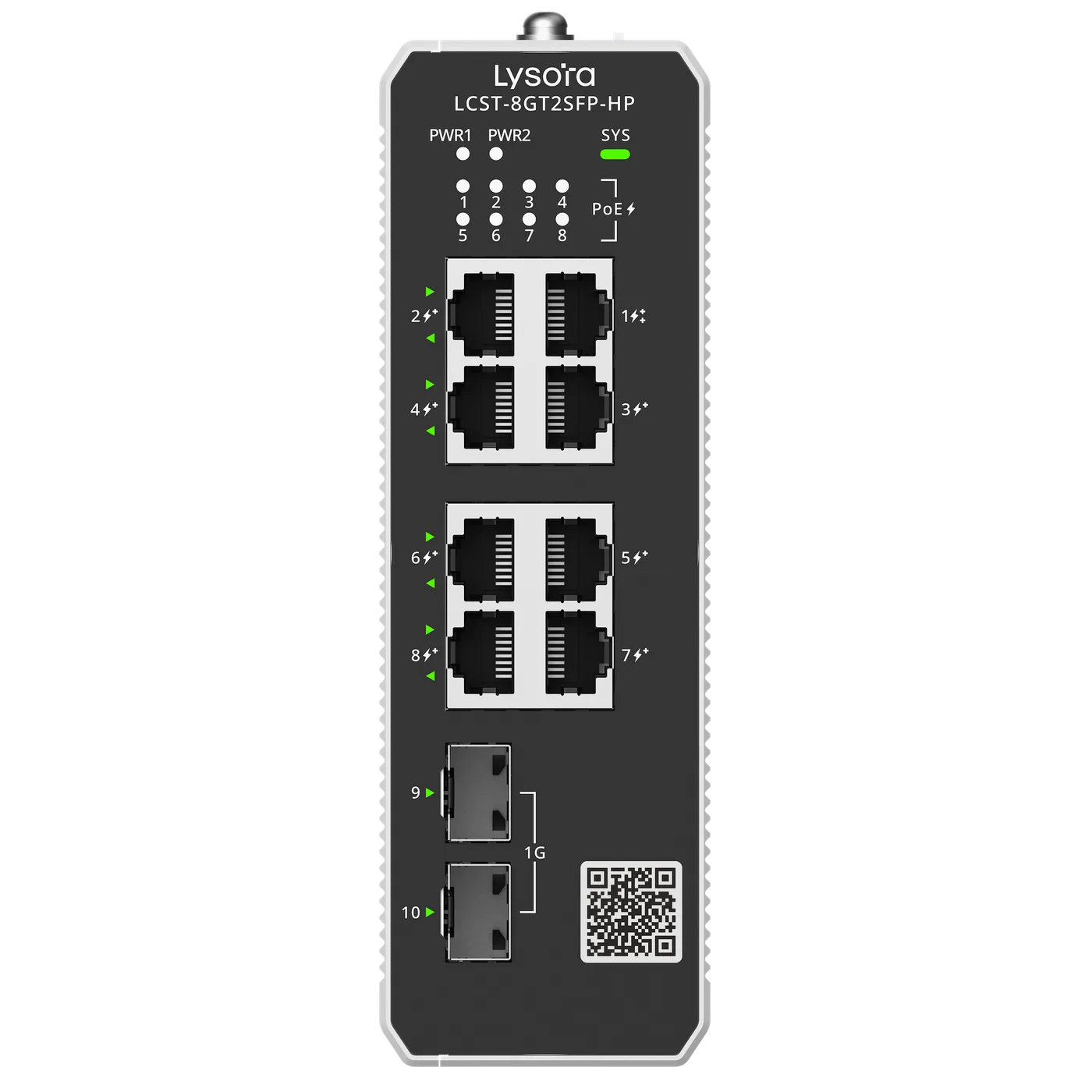
The LCST-8GT2SFP-HP is the industrial PoE unit in the range: eight RJ45 ports of which seven are PoE+ and one is PoE++, two 1GE SFP uplinks, a 228 W default PoE budget rising to a 300 W maximum, cloud or web management, and an operating range of -40 to +75 degrees C.
- Check the operating temperature range against the enclosure temperature, not the ambient outdoor temperature — a sealed cabinet in direct sun runs far hotter than the air around it.
- Prefer fan-less designs wherever dust is present; a fan is usually the first thing to fail in a dusty environment.
- Check the mounting format — DIN rail against rack — before the panel is built, not after.
- Check the power input the site can actually provide, and whether a redundant input is needed.
Lysora SFP modules, media converters and GPON
These three categories all answer the same underlying problem: copper runs out at 100 metres, and a great many real networks are larger than that.
SFP and SFP+ transceivers turn a switch uplink into a fibre link, and the module has to match the fibre type, the distance and the wavelength plan. Media converters do the same job for equipment that has no fibre port at all, which is common when older devices have to reach a new fibre backbone. Both are specified against the fibre already in the ground, so the useful information at enquiry stage is the fibre type, the core count and the measured route distance.
GPON is a different architecture rather than a faster version of the same one. A single OLT port is split passively across many subscribers, which is what makes fibre-to-the-home and large campus distribution economical. The Lysora GPON range published on this site covers 8-port OLTs supporting up to 1024 ONUs, with XPON auto-detecting ONUs that work across GPON and EPON — which protects stock where a network mixes standards.
What to send when enquiring about optics or GPON
For optics: the switch model at each end, the fibre type — single-mode or multimode — the core count and the actual route distance, not the straight-line distance. For GPON: the split ratio you intend, the subscriber count today and the growth expectation, because the split ratio and the growth matter far more than the OLT port count.
How to choose the right Lysora product for a requirement
The fastest route from requirement to bill of quantities is to start with what the site is, not with what device you think you need. Each line below reads requirement, then the category to evaluate, then the checks that actually decide the model.
- Small office, 8 to 24 users, no cameras — managed or unmanaged switch plus a small router. Check whether VLANs are needed at all; if not, a managed switch may be unnecessary cost.
- CCTV deployment — PoE switch plus uplink capacity. Check total PoE wattage against real camera draw, and uplink bandwidth against total camera bitrate to the NVR.
- Wi-Fi deployment, standard density — Wi-Fi 6 access points plus PoE switching. Check the PoE budget and whether gigabit access ports are sufficient for the chosen access point.
- Wi-Fi deployment, high density or new build — Wi-Fi 7 access points plus multi-gig switching. Check that access ports are 2.5G and uplinks are 10G, or the wireless will be capped by the wire.
- Enterprise access network across multiple floors or blocks — access switches plus a Layer 3 aggregation switch. Check switching capacity, SFP+ uplink count and whether inter-VLAN routing belongs in the switch.
- Industrial or outdoor network — industrial switches. Check operating temperature at the enclosure, fan-less design, mounting format and power input.
- ISP or FTTH access network — GPON OLT and ONU. Check split ratio, subscriber growth and whether XPON compatibility is needed.
- Building-to-building link — a wireless bridge pair. Check line of sight, mounting height at both ends, required throughput and whether the far end also needs PoE output for a camera.
- Branch or multi-site network — router plus switching. Check concurrent sessions, VPN types supported and whether central management is required across sites.
What to check before buying networking equipment
Most procurement problems on a networking order are not price problems. They are compatibility and sizing problems that were settled too late. This is the short list worth clearing before a purchase order goes out.
- Port count today and the realistic count in two years, including the ports the uplinks will consume.
- PoE budget against measured device wattage, with headroom — not against port count.
- Uplink speed and media, and whether the fibre to carry it already exists.
- Optical compatibility: fibre type, core count, route distance and wavelength.
- VLAN and segmentation requirements, and whether routing between segments belongs in the switch or the router.
- Management method, and whether it is consistent across every device on the site.
- Redundancy, where an outage has a real cost — dual uplinks, dual power, or neither if it genuinely does not matter.
- Warranty and the replacement route in India, which is not the same question as warranty length.
- Availability and lead time, because a specification that cannot be delivered on the project timeline is not a specification.
- Expansion path — whether adding the next block means extending this design or replacing it.
Buying Lysora networking products from Lizora Infotech
Lizora Infotech is a Delhi-based B2B supplier and an authorised Lysora reseller, supplying system integrators, IT resellers, ISPs, enterprises and institutions across India. Lysora products are held in ready stock in Delhi NCR and dispatched PAN India with GST billing.
The practical support is on the specification rather than only on the price. Share model numbers, quantities or a complete bill of quantities and you receive a line-by-line quotation, typically within 24 working hours, with stock position confirmed. Where the requirement is still open, switch sizing, PoE budget calculations, uplink planning and GPON split planning can be worked through before the BOQ is finalised — which is usually cheaper than discovering the gap during installation.
Dealer pricing is available to registered trade buyers after a short GST verification, with no registration fee. There is no fixed minimum order: single-unit replacements and bulk project quantities are both supported, and same-day dispatch applies to in-stock items ordered before cut-off from the Delhi NCR warehouse.
- Send a model list or a complete BOQ for a line-by-line quotation.
- Ask for help sizing before the BOQ is fixed, if the requirement is still being scoped.
- Request dealer pricing if you are a system integrator, reseller or ISP buying for projects.